
What Is Tivimate Pro?
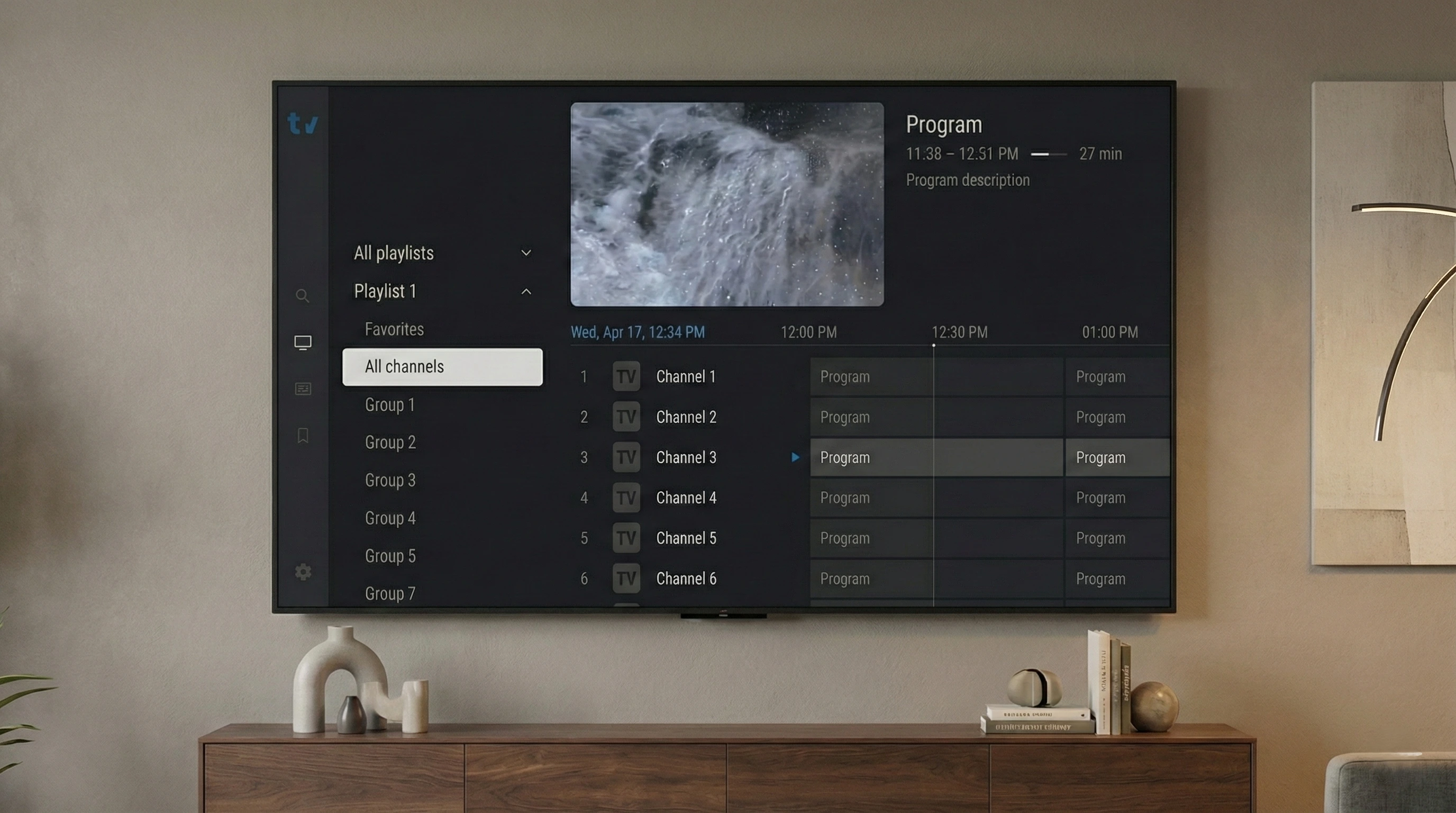
Tivimate Pro (often written as TiviMate) is a popular IPTV player. It is designed to organize and play live TV channels inside a clean, TV-friendly interface.
Tivimate Pro does not come with channels by itself. To watch anything, you must add an IPTV subscription (usually via M3U or Xtream Codes). Once connected, Tivimate can display channels, categories, and an EPG (TV guide).
Tivimate Pro vs IPTV Subscription (Important)
This is the key distinction:
Tivimate Pro (Player)
- Organizes and plays streams
- Shows EPG, categories, favorites
- Does not provide channels
IPTV Subscription (Content Access)
- Provides the streams (live TV and VOD)
- Provides credentials (M3U or Xtream Codes)
- Quality depends on provider and your network
If you want a subscription that works well with Tivimate, you can start with our free trial or compare IPTV packages.
What Devices Support Tivimate?
Tivimate is primarily used on Android TV-style devices. Common options include:
Android TV / Google TV
Smart TVs and streaming devices that run Android TV or Google TV.
Amazon Fire TV Devices
Fire TV sticks/boxes (often via sideloading depending on availability).
NVIDIA Shield
A high-performance Android TV box that runs Tivimate smoothly.
Other IPTV Players
On iOS and desktop, you typically use another IPTV player app instead of Tivimate.
Playlists: M3U vs Xtream Codes
Most IPTV subscriptions can be added to Tivimate in one of two formats:
- M3U: Typically a playlist URL (sometimes with an EPG URL).
- Xtream Codes: Server URL + username + password. Often easier to manage and may provide a structured VOD/EPG setup.
How to Set Up Tivimate Pro (Step-by-Step)
- Install Tivimate: Install Tivimate on your device. If you need general device guidance, start from our download page.
- Get IPTV credentials: Choose a plan from packages (or request a free trial to test first).
- Add playlist: In Tivimate, add a new playlist using M3U or Xtream Codes.
- Load channels and guide: Let Tivimate import channels and EPG.
- Organize: Set favorites, sort groups, and adjust player settings.
EPG (TV Guide) Explained
EPG stands for Electronic Program Guide. It powers the TV guide grid inside Tivimate. If your subscription includes an EPG source, Tivimate can display schedules and “now/next” details.
Best Practices for Stable Streaming
- Use a stable internet connection (Ethernet when possible).
- Keep your device storage free and restart occasionally.
- If you use a VPN and see buffering, test another server/location.
- Don’t exceed your plan’s simultaneous connection limits.
FAQ
Does Tivimate Pro include channels?
No. Tivimate is a player. Channels come from the IPTV subscription you connect.
Is Tivimate Pro the same as Tivimate Premium?
People often use “Pro” to mean the premium experience. Tivimate Premium is the paid upgrade that unlocks additional player features.
Where can I learn more about setup?
Start with our FAQ or contact support via the contact page.
Conclusion & Next Steps
Tivimate Pro is one of the best IPTV player interfaces for Android TV-style devices. But it becomes useful only after you connect a reliable IPTV subscription via M3U or Xtream Codes.
If you want to test quality first, start with a free trial or choose a plan on our packages page.
Ready to Try Tivimate Pro?
Start with a free trial or pick a package and get your IPTV credentials to use in Tivimate.